Page 12 of 18
Re: Create a button's icon with a part of a big image?
Posted: Wed Aug 31, 2022 4:27 pm
by richmond62
thank you for your advices.
Mais, vous avez un petit problem.
En la langue Anglais (et, aussi, dans mon edition de Denis Diderot, ce mot est orthographié 'Anglois')
ce n'est pas possible pour 'advices', c'est seulement 'advice' comme l'eau.

Re: Create a button's icon with a part of a big image?
Posted: Wed Aug 31, 2022 7:03 pm
by Zax
richmond62 wrote: Wed Aug 31, 2022 4:27 pm
Mais, vous avez un petit problem.
Thank tou for your
conseils avisés !

Re: Create a button's icon with a part of a big image? - Beleaguered Castle
Posted: Wed Aug 31, 2022 9:03 pm
by richmond62
I like your splash screen.
The four aces form the castle's foundations.
All cards start dealt face up and you build down regardless of suit, moving only single cards.
The top card of each row (the exposed card) is available for play either on the foundations or on any other row. If the targeted row is not empty, a sequence
have to be built, regardless of suit. Once a row becomes empty, it can be filled by any card
has
I don't think the selected items should be in the same folder as your game:
-
-
Also, version 0.10 told me to download version 0.10

Re: Create a button's icon with a part of a big image? - Beleaguered Castle
Posted: Wed Aug 31, 2022 10:17 pm
by jacque
I get exactly what SWEdeAndy posted.
For the resizing, I think the window redraw is most of the problem because LC has to close and reopen it, which causes a flash. Just resizing the cards without changing the window size might work better.
There is no way for users to view the sandboxed app folders in either Android or iOS. I have entered a feature request in the QCC to allow us to access the public documents folder but right now it isn't available. On mobile, you are limited to the images embedded in the app. For that reason I suggest using the resources folder, where the app should be able to find the boards you've created.
You might want to add a comment asking for iOS access too:
https://quality.livecode.com/show_bug.cgi?id=23526
Re: Create a button's icon with a part of a big image? - Beleaguered Castle
Posted: Thu Sep 01, 2022 2:31 pm
by Zax
This is a new version that should fix the Boards problem:
Mac OS:
https://sw.ixoft.com/files/BeleagueredC ... 12_OSX.zip
Windows:
https://sw.ixoft.com/files/BeleagueredC ... 12_win.zip
Linux:
https://sw.ixoft.com/files/_OLD/Beleagu ... _linux.zip
If the boards graphics are still unavailable, could you please one gain click on the
Rules button with alt key and tell me the result?
Concerning the resizing problem: to be clear, if a cards resizing is needed - not enough place to add card to a row for example - I didn't resize the whole window, only card are resized and moved to be centered.
@
Andreas: at this time, I don't think I'll try to port the app for the web, though it could be interesting. I will not have enough time in next monthes. Anyway, thank you for your proposal.
Re: Create a button's icon with a part of a big image? - Beleaguered Castle
Posted: Thu Sep 01, 2022 2:44 pm
by richmond62
Boards work perfectly on Mac OS 13 beta.
BUT, I think a few textured boards might be even nicer.
-
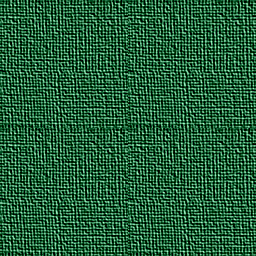
- greenJeans.jpg (141.4 KiB) Viewed 10523 times
-
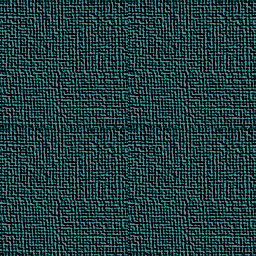
- wornJeans.jpg (146.14 KiB) Viewed 10523 times
-
RESIZING is amazing and almost instant!
Mac Mini Intel 3.6 GHz Quad-Core, 8 GB RAM
Re: Create a button's icon with a part of a big image? - Beleaguered Castle
Posted: Thu Sep 01, 2022 3:36 pm
by Zax
richmond62 wrote: Thu Sep 01, 2022 2:44 pm
BUT, I think a few textured boards might be even nicer.
Just put 256 x 256 pixels jpg or png images in the
Boards folder and re-open the app. If the Boards folder is not visible, look into the "contents" of the app itself. Et voilà

Re: Create a button's icon with a part of a big image? - Beleaguered Castle
Posted: Thu Sep 01, 2022 3:49 pm
by richmond62
Re: Create a button's icon with a part of a big image? - Beleaguered Castle
Posted: Thu Sep 01, 2022 5:08 pm
by Zax
Hmm, I don't know what to say: I built a Linux version for you but I can't test it and any Linux version will not be supported.
But I realize the "Rules" button has disappeared... my bad

I'll fix it.
Re: Create a button's icon with a part of a big image? - Beleaguered Castle
Posted: Thu Sep 01, 2022 5:29 pm
by richmond62
I tried your game on MacOS.
Re: Create a button's icon with a part of a big image? - Beleaguered Castle
Posted: Thu Sep 01, 2022 6:23 pm
by Zax
richmond62 wrote: Thu Sep 01, 2022 5:29 pm
I tried your game on MacOS.
Oh, yes. Sorry.
I'll look into the code tomorrow.
Re: Create a button's icon with a part of a big image? - Beleaguered Castle
Posted: Thu Sep 01, 2022 8:47 pm
by SWEdeAndy
In the 0.12 version for Mac, the other boards are now available in the menu, and the resizing is good (i.e. rarely needed, and subtle enough when it happens). And the victory confirmation is fine!

It's very enjoyable to play now!
I ran into just one bug, where a card doesn't go back to its previous position when "undoing" - instead it covers completely the card underneath. It's possible to move it again though, so the game can get on track again, but can also get confused and lock the pile. I don't have a recipe for reproducing it though. I'll see if it happens again.
Re: Create a button's icon with a part of a big image? - Beleaguered Castle
Posted: Fri Sep 02, 2022 2:07 pm
by Zax
Version of the day: 0.13 that should really fix all Boards problems!
Mac OS:
https://sw.ixoft.com/files/_OLD/Beleagu ... 13_OSX.zip
Windows:
https://sw.ixoft.com/files/_OLD/Beleagu ... 13_win.zip
Linux:
https://sw.ixoft.com/files/_OLD/Beleagu ... inux64.zip
For Mac users, the Boards folder is an alias located on the app folder. Custom boards can be added there - yes
richmond62
@
Andreas: I encountered this bug with older versions. I thought it was fixed.
It can be due to a "too-fast-click" or double-click. If this happen, try to use the "Check board data" menu item.
Otherwise, I don't know enough LC code to correctly manage the wait command needed to insire a user action is completed before starting another.
Re: Create a button's icon with a part of a big image? - Beleaguered Castle
Posted: Fri Sep 02, 2022 7:43 pm
by stam
Zax wrote: Fri Sep 02, 2022 2:07 pm
Version of the day: 0.13 that should really fix all Boards problems!
first of all congrats on the launch. The game is indeed enjoyable and for the most part works just fine. Looks like a huge piece of work!
I'm on MacOS Monterey 12.5.1.
I did however encounter some resizing issues... when one of the side-stacks of card became very large, the scale of everything jumped to a smaller size even though it didn't really need to. I tried resizing the board and then found the cards didn't overlay the wells properly and then the game wouldn't work. I quit the game hoping that restart would fix it, but was faced with this:
Pity because i was really getting into it, it's a really fun solitaire but that particular match is now borked...
I think maybe the resizing code needs more work?
Other that this issue seems like stellar work, well done! Look forward to newer versions

Stam
Re: Create a button's icon with a part of a big image? - Beleaguered Castle
Posted: Fri Sep 02, 2022 10:42 pm
by jacque
Using 0.13, did hiliting stop? Keyboard presses and moving cards no longer hilite.